


Table of Contents
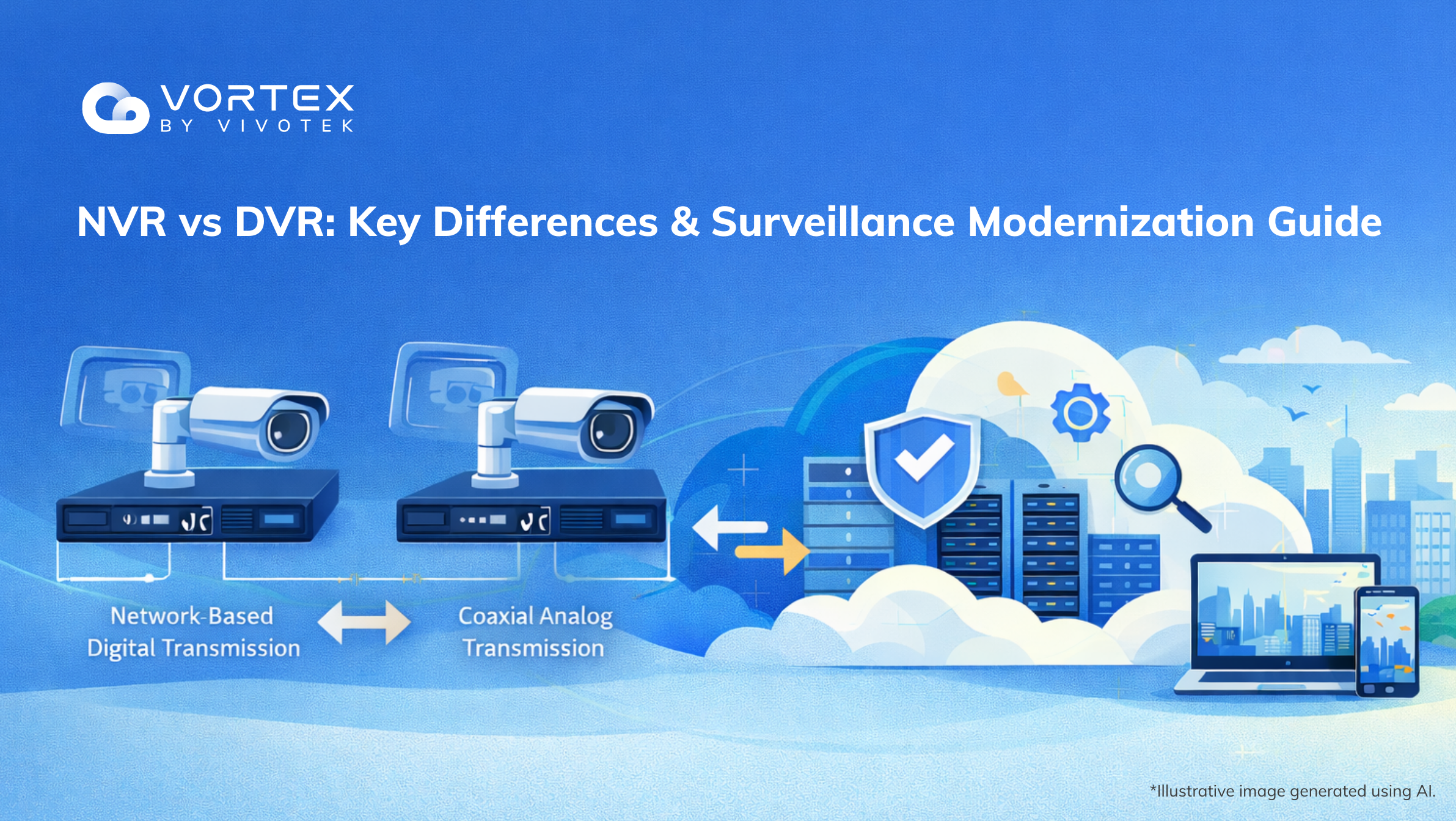 Even if you’re not replacing every camera this year, your surveillance strategy still needs a modernization roadmap—because hardware-centric, recorder-first architectures are hitting real limits.
DVR and NVR are proven recording approaches that work well for a fixed camera count on a single site. But once you need multi-site operations, remote maintenance, AI-powered alerts, faster investigations, and integrations, the bottleneck is often the architecture—not the cameras.
That’s why this guide uses NVR vs DVR as an entry point: we’ll quickly clarify the technical differences, then pivot to the limitations of hardware-centric systems (maintenance, scalability, flexibility). From there, we’ll show why cloud is the inevitable next step—and why Hybrid Cloud is the most practical bridge to a cloud-managed, one-platform future. (Further reading: Reimagining modern security with hybrid cloud and AI)
DVR vs NVR: Embracing the Future of Surveillance
DVR and NVR were designed for an earlier phase of surveillance: store video locally, review footage when something happens, and maintain everything on-site. That model still exists—but modern operations need more: centralized visibility, faster incident verification, AI analytics, and the ability to evolve without repeating a hardware refresh cycle.
This is why “modernization” increasingly means moving from hardware-bound recording to cloud-managed, AI-ready ecosystems—often through a Hybrid Cloud approach that preserves what still works on-prem while unlocking cloud agility.
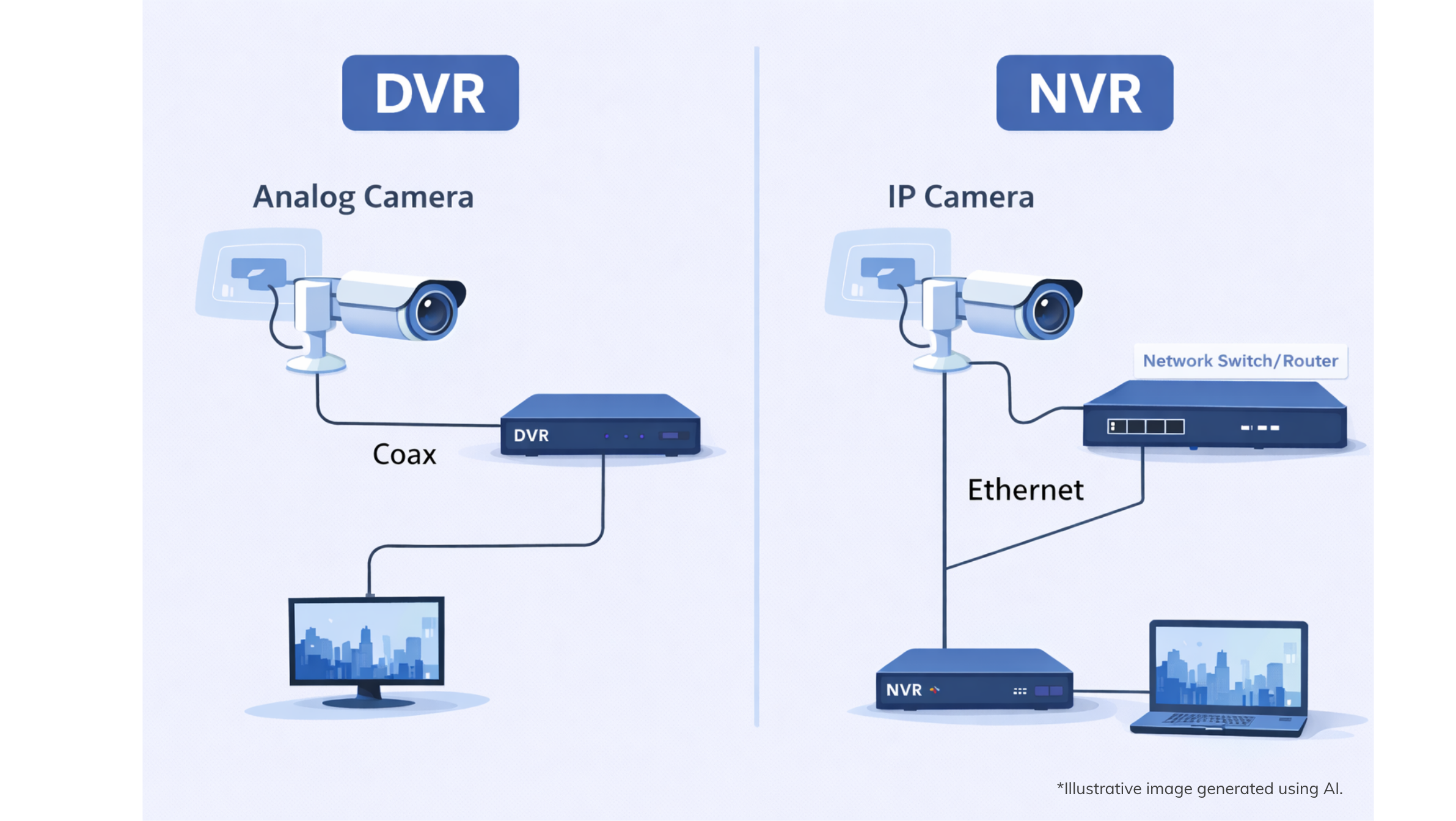
What is a DVR?
A DVR (Digital Video Recorder) typically works with analog cameras (often via coaxial cabling), which is why nvr vs dvr security cameras comparisons often focus on camera compatibility and transmission methods.
The DVR digitizes video input and records it locally.
|DVR Pros:
-
Reuses legacy coax infrastructure and analog deployments
-
Often lower initial hardware costs for small, single-site setups
-
Straightforward local recording and playback
|DVR Cons:
-
Limited flexibility for modern remote management and multi-site operations
-
Scaling usually means adding more on-site recorders and storage
-
Hardware lifecycle and maintenance burden grows over time
What is an NVR?
An NVR (Network Video Recorder) records video from IP cameras over the network, making it a common choice in modern nvr vs dvr security system deployments. Video streams are transmitted digitally, and the NVR records them locally (or to network storage).
|NVR Pros:
-
Designed for IP cameras and higher-resolution streams
-
More flexible camera placement via networking
-
Better aligned with modern camera features and upgrades
|NVR Cons:
-
Still largely “hardware-centric” when deployed as a recorder-first architecture
-
Scaling across sites adds network, storage, and management complexity
-
Upgrades (firmware, storage expansion, failover planning) still require ongoing on-site or IT effort
Comparisons Between DVR and NVR
Before you choose a system, understanding the NVR vs DVR difference helps separate technical differences from operational realities when comparing nvr vs dvr security cameras and overall system architecture.
If you run a single site with a stable camera count, this comparison may be enough to choose hardware. But for most organizations, the real question becomes: Do you want to keep your next 3–5 years of capabilities tied to repeated on-prem recorder upgrade cycles?
The Hidden Limits of Hardware-Centric Surveillance (DVR & NVR)
Even though NVR is often considered the “better” technology in many nvr vs dvr security system comparisons, both DVR and NVR can share the same structural constraint: they are often deployed as recorder-first systems where critical capabilities depend on hardware at each location.
- Maintenance burden compounds over time
Hardware-centric architectures put reliability on every on-site component: recorders, drives, power, racks, cooling, firmware, and redundancy planning. As sites and devices grow, maintenance shifts from routine work to constant firefighting.
According to IDC Infographic "The Hidden ROI of Surveillance", sponsored by VIVOTEK Inc., IT priorities for surveillance modernization include enabling remote or centralized management across sites, reduced manual monitoring and operator workload, and enhanced automation and response time. - Scaling Means More Boxes, More Storage, More Complexity
More channels or longer retention usually means more hardware and storage. That’s physical scaling: space, power, racks, cabling, and redundancy all expand—along with total cost of ownership. - Limited flexibility for AI, integration, and governance
When you need AI detection, consistent access control across sites, faster investigations, or integrations with access control/POS/IoT, hardware-centric deployments often become siloed—each site managed separately—slowing upgrades and increasing integration costs.
Why Cloud-Managed Surveillance Is the Future?
Cloud video isn’t just “uploading footage.” It turns surveillance into a scalable platform:
-
Centralized management and remote operations for multi-site environments
-
Elastic scalability without constantly adding on-prem hardware
-
AI-ready workflows for search, alerts, and analytics
-
Consistent governance and auditing at the platform level
Cloud adoption is accelerating. Based on the the same IDC Infographic which surveyed 400 IT and operations leaders survey across the U.S. and U.K., 51% of U.S. organizations plan to be cloud-first within 24 months. Meanwhile, due to regulations and data sovereignty concerns, the UK market tends to favor hybrid (edge + cloud) approaches.
 Hybrid Cloud Surveillance: The Most Realistic Bridge to Modernization
Most organizations can’t replace everything overnight. Hybrid Cloud enables a staged modernization path:
-
Preserve existing investments (cameras and on-prem needs still run)
-
Move management and visibility to the cloud first (central operations)
-
Evolve into a platform (AI, search, alerts, integrations)
-
Skip repeated hardware refresh cycles over time
Based on IDC InfoBrief “From Devices to Decisions”, sponsored by VIVOTEK Inc., 59% of digital-native enterprises now run hybrid-by-default AI security architectures, confirming hybrid cloud as the new enterprise standard.
 One Platform: From Recording to Operations
Modernization isn’t just “recording video.” It’s about operating smarter: manage consistently, investigate faster, and scale confidently. A platform approach means you manage:
-
Incident and alert workflows (not just recorders)
-
Consistent access control and auditing across sites
-
Faster investigations and search (less manual effort)
-
Integration readiness with operational systems (better decisions)
Surveillance is shifting from a cost center to an asset that improves operational efficiency, risk reduction, and decision quality.
When the real challenge becomes ongoing maintenance and scalability, not just whether you’re using DVR or NVR—modernization is the smarter path. A hybrid cloud approach provides a practical bridge: you can preserve what still works on-site while gradually moving management and operational workflows into a cloud-managed ecosystem.
Seamless Cloud Transition with VORTEX Connect Hybrid Cloud Solution
If you’re evaluating DVR/NVR upgrades, a better question is: How do you bring your existing system into a cloud-managed architecture—smoothly and safely? For many organizations, the goal isn’t a disruptive rip-and-replace. It’s a controlled transition that reduces on-site maintenance, supports multi-site operations, and creates a clear path to AI-ready workflows.
That’s where VORTEX Connect comes in. As VORTEX’s Hybrid Cloud Solution, it enables a staged modernization journey without forcing an immediate hardware overhaul:
-
Start with centralized management and multi-site operational efficiency
-
Expand into AI search, automated alerts, and integrations
-
Move toward a cloud-managed, one-platform ecosystem over time
To see how a hybrid transition typically works in real deployments, explore Hybrid Cloud Transition for Surveillance Modernization and the supported architecture options:
Source:
*IDC InfoBrief, From Devices to Decisions: AI at the Edge. Power in the Cloud. Security Everywhere.(Doc #AP242533IB), sponsored by VIVOTEK Inc., September 2025.
*IDC Infographic,The Hidden ROI of Surveillance. (Doc #AP242552IG), sponsored by VIVOTEK Inc., February 2026.
*IDC is the foremost global market intelligence and advisory firm helping clients understand technology and e-business trends to develop sound, action-oriented business strategies. For additional information on IDC, please visit www.idc.com
-
What is the difference between DVR and NVR?
DVR typically records video from analog cameras via coaxial cables, while NVR records IP camera streams over a network. -
Can cloud surveillance replace DVR/NVR systems?
Many multi-site organizations can reduce reliance on on-prem recorders. When bandwidth, regulations, or data sovereignty matter, Hybrid Cloud is often the most practical approach. -
Is cloud video surveillance better than traditional recorders?
For many organizations, cloud video surveillance is better than traditional NVR/DVR systems when you need multi-site management, remote access, and faster scalability. -
Should I upgrade my DVR system or switch to cloud surveillance?
If your DVR system is single-site and stable, an upgrade may be enough for short-term needs. But if you’re expanding, want centralized operations, or plan AI-driven workflows, moving beyond DVR/NVR toward cloud is typically more future-proof. Many teams start with hybrid cloud to modernize without a disruptive rip-and-replace. -
Are DVR systems limited to AI and analytics?
In most cases, yes—DVR systems are more limited for AI and analytics compared to modern NVR and cloud-managed architectures. While add-ons exist, scaling AI across sites is harder with recorder-first DVR/NVR designs. A cloud or hybrid cloud model provides a cleaner path to evolve analytics over time. -
How does cloud surveillance improve scalability and maintenance?
Scaling doesn’t require adding boxes everywhere, and centralized management aligns with goals like reducing manual monitoring and improving automation and response speed.

Tags


