Table of Contents
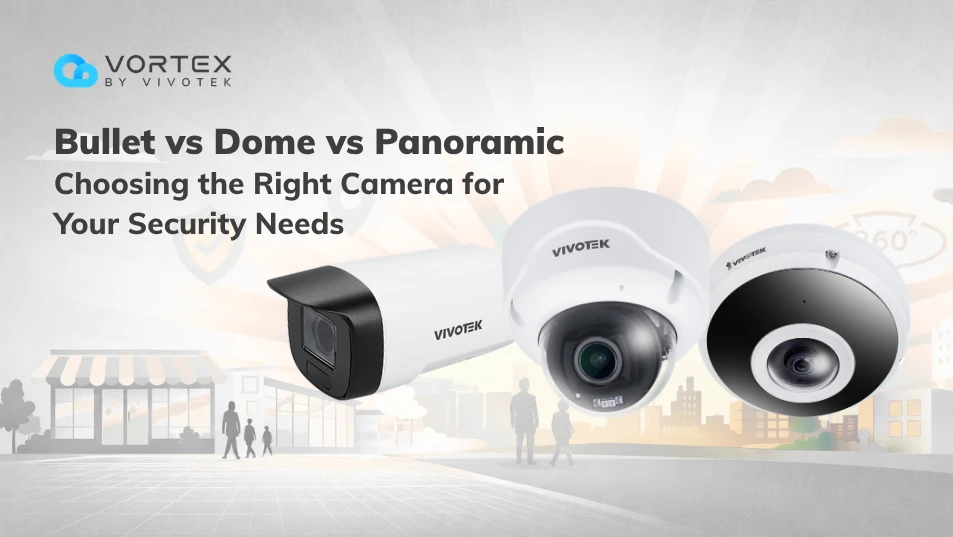
When you’re selecting security cameras for a business, the “best” choice is rarely about specs alone—it’s about coverage, installation realities, and the operational workload after deployment. Bullet and dome cameras are classic, proven options. But panoramic cameras are increasingly favored in layouts where wide-area visibility matters, because a single panoramic camera can cover what typically needs multiple traditional cameras—reducing hardware, cabling, installation time, and ongoing management costs.
In this guide, we’ll break down the difference between bullet and dome cameras, and provide a clear dome vs bullet vs panoramic comparison, then map each type to real-world scenarios—especially where panoramic cameras can simplify coverage planning and improve cost-efficiency.
What are Bullet Cameras?
Bullet cameras are the familiar “tube-shaped” cameras designed to point in a clear direction. They’re commonly installed on exterior walls, entrances, and perimeters where you want a visible deterrent and a focused view.
|Key characteristics of bullet cameras:
-
Directional, long-range viewing with a clearly aimed lens
-
High-visibility design that supports deterrence
-
Typically wall/eave mounted and easy to aim at specific zones (doors, gates, drive lanes)
-
Best when you need focused coverage rather than wide-area coverage
|Where bullet cameras shine:
-
Perimeters and fence lines
-
Entrances, loading bays, and driveways
-
Long corridors or narrow lanes that require directional monitoring
-
Outdoor areas where “camera presence” helps discourage bad behavior
Placement planning is usually straightforward: you mount it, aim at a target zone (door, gate, driveway), and fine-tune the angle.
What are Dome Cameras?
Dome cameras are typically housed in a compact, rounded enclosure. They’re popular indoors and in semi-outdoor covered areas because they look clean, blend into ceilings, and make it harder for observers to confidently judge the lens direction. It’s useful when you want discreet coverage.
|Key characteristics of dome cameras:
-
Discreet, low-profile design that blends into ceilings and interiors
-
Still directional viewing, typically aimed at a specific zone
-
Often preferred in public-facing indoor areas where aesthetics matter
-
The dome housing can help reduce tampering and protect the lens (model-dependent)
|Where dome cameras shine:
-
Retail interiors (aisles, cashier lines, entry areas)
-
Office lobbies, elevators, hallways, and reception areas
-
Covered semi-outdoor areas (e.g., under eaves or canopies)
-
Spaces where you want coverage without drawing too much attention
Placement planning is usually easy because dome cameras are directional. It becomes “medium” when you’re trying to cover wide areas discreetly, since you may need multiple domes to avoid left/right blind spots.
What are Panoramic Cameras?
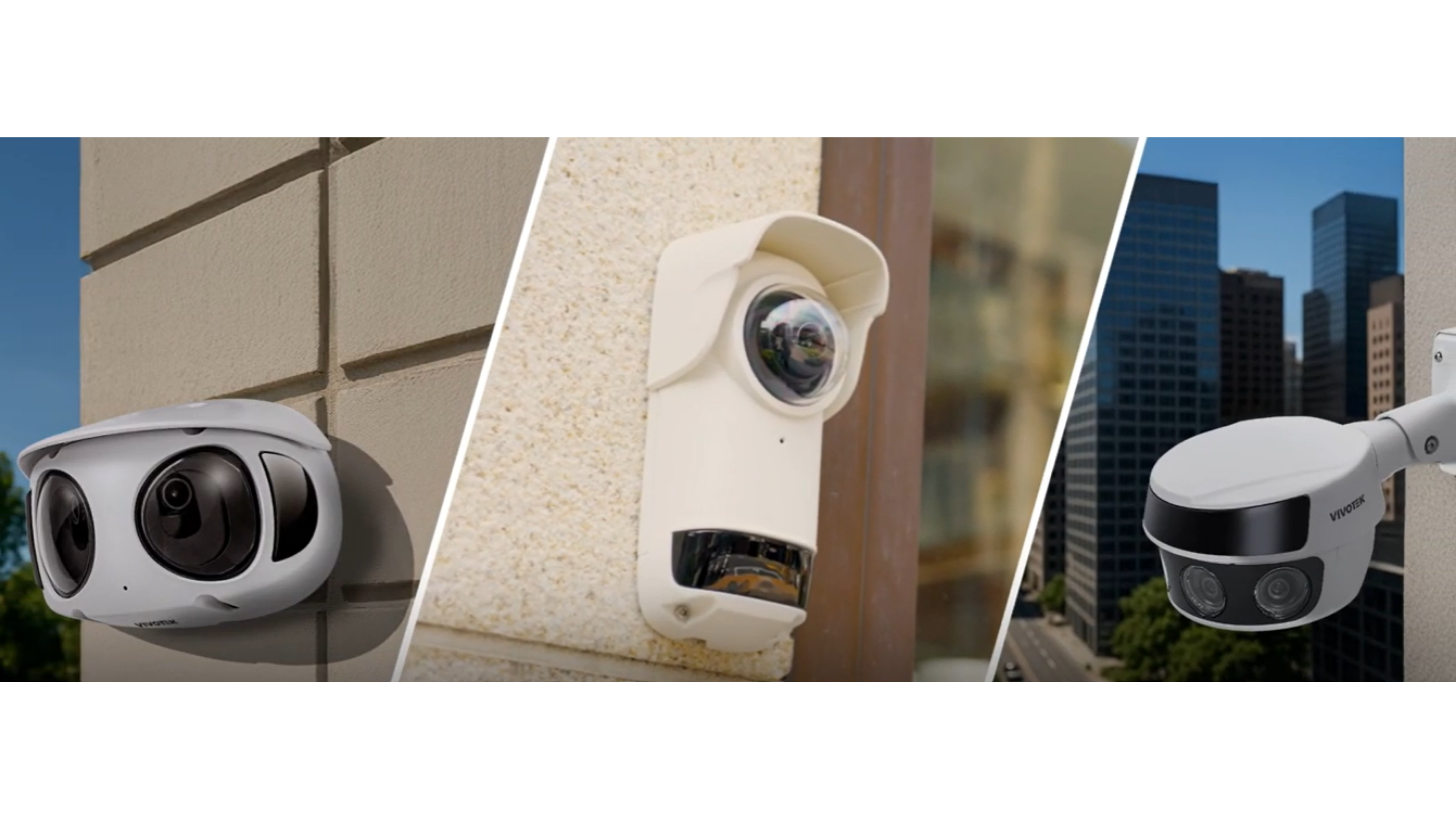
Panoramic cameras are designed for wide coverage and typically offer either a 180° wall-mounted view or a 360° ceiling fisheye view, helping reduce blind spots and the total number of cameras needed in open or high-traffic areas.
|Key characteristics of panoramic cameras:
-
Wide field of view (commonly 180° or 360°) for broader area coverage
-
Built to reduce blind spots in open layouts and high-traffic zones
-
Can reduce camera count by replacing multiple directional cameras in some layouts
-
Often paired with AI analytics to support faster detection and investigation workflows
For example, VIVOTEK’s compact panoramic AI camera family delivers a 180-degree view to help eliminate blind spots, paired with AI analytics such as Smart VCA / vision object analytics.
|Where panoramic cameras shine:
-
Storefront facades and entrances where left/right coverage matters
-
Lobbies, reception areas, and wide corridors
-
Open areas with steady foot traffic (e.g., retail floor, common areas)
-
Spaces where you want fewer devices to manage without losing situational awareness
Panoramic cameras aren’t harder to install, but they’re more placement-sensitive: height and tilt matter more because you’re capturing a wider scene at once. A good placement makes one camera feel like two, while poor placement can waste pixels on irrelevant areas.
Dome vs Bullet vs Panoramic Cameras: Key Comparison
Before comparing specs, it helps to focus on what changes real-world outcomes: field of view, visibility/deterrence, and placement planning. Placement planning isn’t about “difficulty”—it’s about how sensitive each camera type is to height, angle, and the area you need to prioritize. The table below summarizes the key practical differences.
|Quick rule of thumb:
• Choose bullet cameras when you need long-range directional monitoring.
• Choose dome cameras when you need discreet indoor coverage that blends into the environment.
• Choose panoramic cameras when your real problem is coverage gaps, blind spots, and "too many cameras to manage."
How Panoramic Cameras Can Replace Multiple Traditional Cameras?
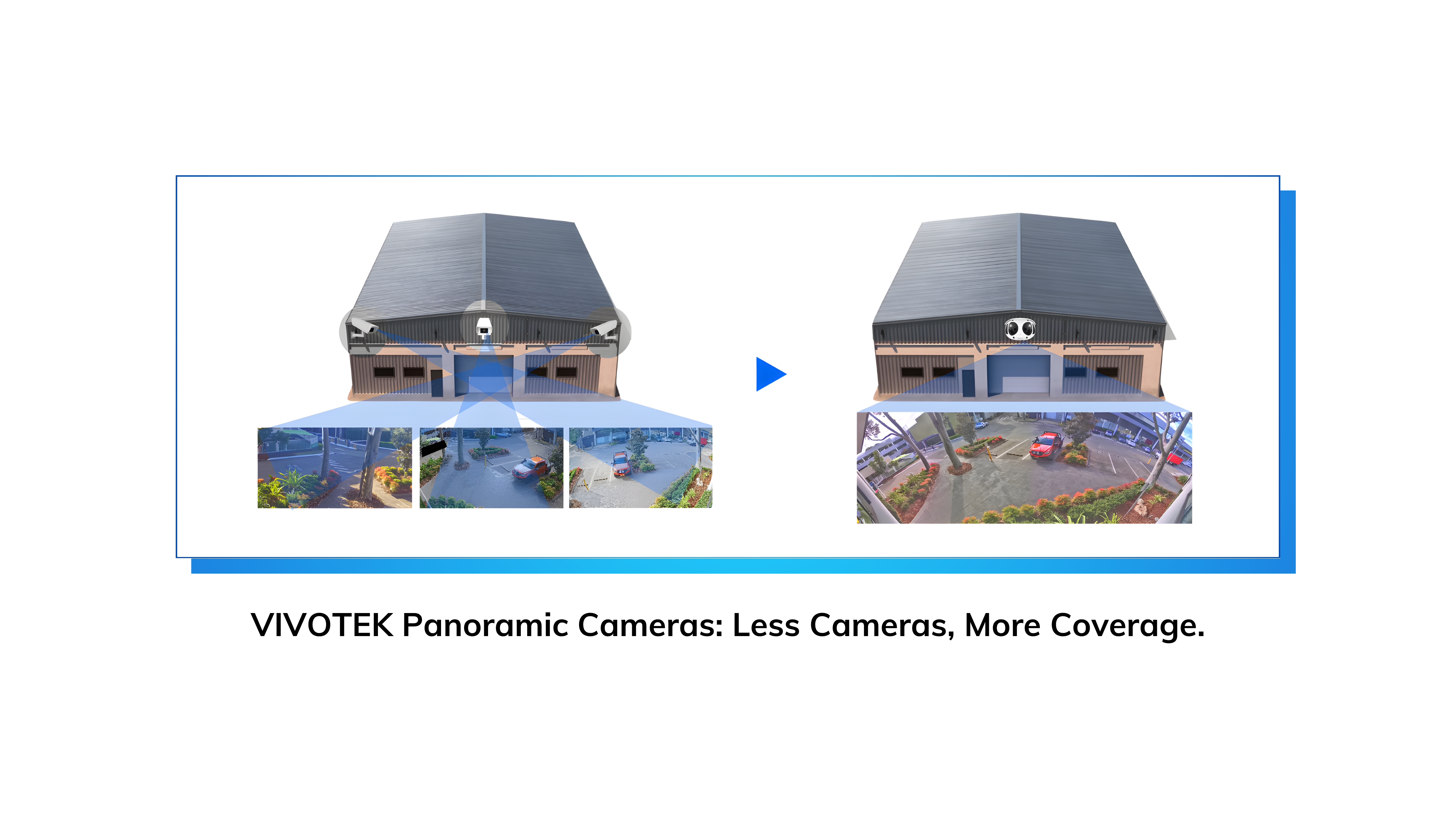
Panoramic cameras aren’t just about getting a wider picture—they’re a practical way to reduce camera count without sacrificing coverage. In many layouts, one panoramic camera can replace two directional cameras that would otherwise be aimed left and right, which can reduce installation effort and simplify day-to-day monitoring.
◆ Field-of-view advantage: cover wide zones with one device
A compact 180° panoramic camera can cover broad scenes—such as storefront facades, lobby open areas, or wide corridors—where you’d otherwise mount two cameras aimed left and right. VIVOTEK’s compact panoramic AI camera is built around a 180-degree view to prevent blind spots.
◆ Reduce camera count—and the total system cost
Hardware cost is only part of the cost. When you replace multiple bullet/dome cameras with a single panoramic unit, you may save on:
- Mounting points and brackets
- Cabling and PoE switch ports
- Installation labor hours
- Future maintenance (fewer devices, fewer failures)
In many deployments, a 180° view is commonly used to replace two cameras with one, simplifying the overall design. (In some layouts—like small retail storefronts or wide interior corners—you can sometimes reduce even more cameras depending on blind-spot geometry.)
◆ Faster operations: fewer alarms and simpler investigation
Panoramic consolidation isn’t just “one camera instead of two”—it can also reduce operational friction:
- Consolidate alarms: fewer devices can mean fewer duplicated alerts. With a 180° view, deployments often consolidate what used to be alerts from two cameras into a single notification stream.
- Consolidate search: instead of reviewing multiple angles, teams can investigate incidents in one view.
Best Security Camera Type by Scenario
Choosing between bullet, dome, and panoramic cameras becomes much easier when you start from the layout. Below are common business scenarios and the camera type that typically performs best—sometimes one type, sometimes a practical mix.
◆ Retail storefront + sidewalk-facing facade
◆ Office lobby / building reception
◆ Parking lots and open areas
◆ Perimeter fences / long corridors
Conclusion: Which Camera Type Should You Choose?
 Bullet, dome, and panoramic cameras solve different problems—and the best choice starts with your layout. If you need long-range, directional coverage, go with bullet. If you need discreet indoor coverage, dome is a safe default. If your goal is to reduce camera count in open areas (storefronts, lobbies, wide corridors, high-traffic zones), panoramic often delivers the best ROI—sometimes replacing two directional cameras with one.
For spaces with heavy occlusion—tall shelves, dense racks, partitions, or frequent blind corners—a hybrid design works best: panoramic for overall awareness, plus targeted bullet/dome cameras for critical detail zones.
Compact, Easy-to-Install, and Good-Looking Panoramic Cameras: VIVOTEK CC Series
If you’re looking for a compact panoramic camera that’s easy to deploy and looks great in customer-facing spaces, the VIVOTEK CC Series is a strong option. It’s designed for fast installation and clean aesthetics—ideal for storefronts, lobbies, and other open areas where you want wide coverage with fewer devices. Explore models: CC831-HV / CC830-HV.
- What’s the difference between a dome camera and a bullet camera?
Bullet cameras are visibly directional (strong deterrence) and are often used outdoors or along perimeters. Dome cameras are more discreet and used indoors where aesthetics matter. - Can a panoramic camera replace multiple dome or bullet cameras?
Yes—especially in wide areas. A 180° panoramic is commonly used to replace two cameras with one. - When should I use a bullet camera instead of a dome? When you need a clearly aimed, long-range view or strong visible deterrence.
- Are panoramic cameras more expensive to install?
Unit price may be higher, but total installation costs often decrease because you may use fewer cameras, fewer mounts, and less cabling. - What camera type do security professionals recommend?
A mixed approach: bullets for distance, domes for discreet interiors, panoramics for wide zones where fewer devices improve operations.

Tags